
Prepare for University Studies & Career Advancement

Film and Media Studies

A scene can lodge in your mind for years—sometimes longer than the name of the film itself. You may forget the plot, yet remember the tremor in a voice, the pause before a door opens, the way a single cut made time feel like it bent. Film and media studies begins with that strange reliability of feeling and asks: how do images and sounds work together so precisely that they can move strangers, across languages and cultures, in the same instant?

To study film is to study decisions that leave fingerprints. A close-up is not “just closer”—it changes intimacy and power. A long take is not “just longer”—it changes attention and truth. Editing does not merely arrange footage; it builds cause and effect, tension and release. Sound can make a room feel safe or haunted. Light can soften a character into innocence or sharpen them into threat. Even silence can argue. Over time, you develop a practical literacy: the ability to notice how a story persuades, not only what it claims to show.

Media studies widens the frame beyond cinema. Streaming platforms shape what gets funded. Algorithms shape what gets surfaced. Fan cultures shape what becomes “important,” what gets forgiven, and what gets canceled. A trailer can do more cultural work than a full review. A meme can compress a political argument into three seconds of motion. In a world saturated with screens, learning to analyze structure, framing, and distribution is not academic decoration—it is civic equipment.

This page is built for practice, not just appreciation. You will learn a repeatable method for reading scenes, naming techniques, comparing genres, and linking media forms to the economic incentives and social pressures that shape them. Whether you aim to make films, critique them, or simply think more clearly about what you watch every day, the goal is the same: to move from passive consumption to intentional understanding.
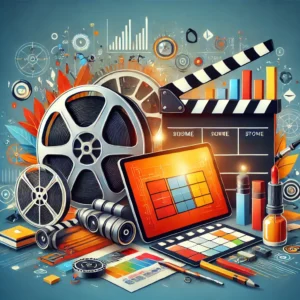
Illustration of film and media production tools including film reels, clapperboard, color palette, and tablet interface.
A vibrant conceptual illustration representing the interdisciplinary world of film and media studies, blending traditional cinematic tools with digital media technology.

Film & Media Studies as a “Visual Literacy Toolkit”

This page is not only a reading list and not only a production guide. It is a toolkit for learning how images argue. When you can name the choices—framing, rhythm, sound design, platform formatting—you stop reacting blindly and start thinking with precision. That is the quiet superpower of film and media studies: it teaches you to see the machinery behind what feels “natural”.

Watch Like a Builder

Instead of “Did I like it?”, ask “How did it make me feel that—and how fast?” You learn to reverse-engineer attention, empathy, and persuasion.

Make Small Things Well

A 60-second scene can teach more than a 60-page essay if you treat it as a lab: plan, test, revise, export, and learn from what breaks.

Connect Craft to Systems

Distribution, incentives, and platform rules are part of the artwork now. Studying media means studying the “pipes” that move stories.

Three Lenses for Reading Any Screen

Use these lenses on cinema, TV, YouTube, and short-form feeds. The goal is not to be “critical” in a gloomy way, but to be accurate about how meaning gets built.

Lens 1: Form

What are the visible choices—shot size, camera height, light direction, cut timing, music entry, silence? Form is the grammar.

Lens 2: Story

What changes, and when? Who wants what? Where is the turning point? Story is the spine that holds attention.

Lens 3: Context

Who funded it, who distributes it, who profits, and who is imagined as the “normal” viewer? Context is the hidden pressure shaping choices.

Platform Reality Check

Today, the same idea often needs multiple “skins”: widescreen for calm viewing, vertical for the phone, square for certain feeds. Platform shape becomes part of the script. Treat aspect ratio like a storytelling constraint, not a technical annoyance.

  • 16:9 (widescreen): Space for environment, slower pacing, and quieter beats. Good for interviews and explanatory scenes.
  • 9:16 (vertical): Faces and gestures dominate. Tight framing and on-screen text matter more; silence needs visual support.
  • 1:1 (square): Compositional balance is harder; center-weighted framing often works best; subtitles feel essential.

Quick habit that makes your work look “professional” fast: decide your platform before you shoot, not after you edit. That single choice changes where you place the camera, how you frame, and how you leave space for captions.

Table of Contents

Micro-Methods You Can Reuse Forever

These are small, repeatable methods—simple enough to remember, strong enough to improve your results quickly. They also help prevent “boilerplate” writing because they give you concrete procedures to describe (not vague inspiration).

Method A — The 10-Second Diagnosis

When a scene feels wrong, test it in 10 seconds:

  • Space: Are the positions and directions consistent?
  • Time: Are we cutting on actions or cutting randomly?
  • Sound: Does audio “glue” the cut, or does it betray it?

Fix the first failing category before you touch anything else. Most beginner edits improve immediately when sound and action-cuts are handled first.

Method B — The “Three Proof Shots” Rule

For any claim your film makes (“she is disciplined”, “this place is stressful”, “the project is fragile”), collect three proof shots:

  • Proof 1: a wide shot that establishes the situation.
  • Proof 2: an action close-up that shows effort or consequence.
  • Proof 3: a reaction shot that shows the human cost or meaning.

This prevents empty montage. It also teaches you to film with intention: every shot is evidence, not decoration.

From Viewers to Makers: A Beginner Film & Media Practice Track

This track is built like a small studio apprenticeship: you’ll plan a shoot, capture dialogue that sounds clean, cut scenes that feel natural, and deliver versions that fit real screens (16:9 widescreen, 9:16 vertical, 1:1 square). The goal is not “theory first”—it’s confidence through making, with simple steps and copyable examples throughout.

Your First Three Outputs

  • Project 1 — 60-Second Scene Rebuild: Recreate a short conversation using basic continuity so cuts feel smooth.
  • Project 2 — Micro-Documentary (2–3 minutes): One person, one strong question, shaped using a simple “paper edit” plan.
  • Project 3 — Platform Re-Cut (9:16 vertical): Reframe and retell Project 2 for mobile viewing with on-screen text and captions.

The Practical Toolkit You’ll Learn

  • Camera Placement & Coverage: How to shoot enough angles so the editor can cut naturally (shot sizes, inserts, reactions, and the 180° rule).
  • Exposure & Color Basics: How to keep images properly bright and keep skin tones consistent using white balance.
  • Sound Comes First: How to capture clear voice (phone, lav mic, or boom) and why “room tone” saves edits.
  • Editing Rules That Hide the Editing: Match-on-action, plus J-cuts and L-cuts for flow and pace.
  • Story Spine & Paper Edit: How to turn interview answers + B-roll into a simple structure: setup → turning point → resolution.
  • Delivery & Accessibility: Exports that play everywhere, captions that work, and versions that fit vertical and square screens.

Micro-Glossary (So You Can Work Fast)

  • Coverage: The set of shots that gives you options to cut a scene smoothly.
  • 180° rule: Stay on one side of an imaginary line so characters don’t “swap sides” on screen.
  • Shot sizes: Wide (WS), Medium (MS), Close-Up (CU), Extreme Close-Up (ECU).
  • Insert / Cutaway: Detail shot (hands/objects) or reaction/detail shot used to bridge edits.
  • White balance (WB): A setting that keeps whites neutral so skin tones don’t drift warm/green/blue.
  • Frame rate (fps): Frames per second. We use 24 or 25 fps consistently.
  • Paper edit: A written plan: best quotes + story beats + B-roll notes before you touch the timeline.
  • Captions (.srt): A time-coded subtitle file for accessibility and sound-off viewing.

Baseline Specs & How You’ll Be Marked

Recommended baseline: 1080p, 24–25 fps, shutter ≈ 1/48–1/50, 48 kHz audio. Export H.264 MP4.

Rubric (30/25/25/20): Story clarity (30) · Technical quality (sound-first) (25) · Edit flow & continuity (25) · Delivery & captions (20).

A Simple 12-Week Rhythm

  • 1–2 Camera/coverage · 3 Sound capture · 4 Edit rules · 5 Project 1
  • 6 Story spine & interviews · 7 B-roll planning · 8–9 Edit Micro-Doc · 10 Picture lock & basic color match
  • 11 Captions + vertical re-cut · 12 Screening & critique

Submission Format & File Hygiene

  • Deliverables: MP4 export(s) + .srt captions (where relevant) + PDF shot list and timeline screenshots.
  • Filenames: FMS101_Lastname_ProjectX_v1.mp4 (then v2, v3…)
  • Folders: 01_RAW/ 02_AUDIO/ 03_PROJECT/ 04_EXPORTS/ 05_DOCS/

Mini-Lab: Visual Persuasion in 20 Minutes

Goal: Discover how tiny technical choices can change what feels “true”.

  • Step 1 (3 min): Film a person answering a simple question twice: once as a Medium Shot, once as a Close-Up.
  • Step 2 (4 min): Repeat both takes with a different camera height (eye-level vs slightly lower).
  • Step 3 (5 min): Record 15 seconds of room tone in the same spot.
  • Step 4 (6 min): Cut two 15-second edits: one “calm & credible”, one “urgent & tense”. Use only timing, shot choice, and sound level.
  • Step 5 (2 min): Write one sentence: “This edit feels like ___ because ___.” Use technique words (shot size, rhythm, loudness, silence).

What to submit: two short exports + a 5-line note naming the choices you used (no long essay).

Common Beginner Traps (and the Practical Escape Route)

Most frustration comes from a few predictable traps. If you can name the trap, you can escape it without panic.

Trap: “I have footage, but no story.”

Escape: write the three beats (Setup → Turning Point → Resolution), then cut only what proves each beat. Everything else is optional.

Trap: “My edit feels jumpy.”

Escape: cut on actions, and lay room tone under gaps. If you must jump, hide it with an insert or cutaway.

Trap: “It looks fine, but it sounds amateur.”

Escape: move the mic closer, reduce noise, record room tone, and mix dialogue first. Great sound makes average images feel better.

Trap: “I’m copying a style without understanding it.”

Escape: imitate one constraint (shot length, framing rule, or sound approach), then write the reason it works. Technique beats imitation.

Film & Media: Step-by-Step Lessons (Beginner Detailed)

Each lesson follows the same pattern so it’s easy to use: goal → gear (smartphone option included) → steps → two worked examples → common mistakes + fixes → a short practice task → what to submit → a self-check checklist.

Lesson 1 — Continuity and the 180° Rule

Goal: Keep left/right positions and eyelines consistent so viewers never get lost.

What you need: Any camera (or smartphone), two people, a table. Optional: tape to mark positions.

Smartphone note: Use the rear camera; lock focus/exposure if available; brace with both hands or a mini-tripod.

Steps:

  1. Seat two people facing each other; imagine a line between them (the “action line”).
  2. Choose one side of the line and stay on it for all your angles.
  3. Record in order: WS, OTS-A, OTS-B, CU-A, CU-B, one insert (hands/object), one cutaway (reaction/detail).
  4. Have them repeat a simple line so you can match cuts (“Coffee?” “Yes, please.”).
  5. Clap once on camera at the start (useful for syncing later).

Worked example 1 (Café chat): Keep the door consistently behind Person B to anchor the space; cut on the coffee pickup for a clean action match.

Worked example 2 (Help desk): Keep the monitor on the same side of frame in both speaker angles to preserve orientation.

Common mistakes & fixes: Crossing the line → use a neutral shot (camera on the line) before switching sides. Mismatched eyelines → match camera height and distance across OTS pairs.

Practice (60–90 min): Film the 7 shots; keep each 5–8 seconds; label clips 01_WS, 02_OTS-A

Submit: 60-second edit + shot list PDF.

Checklist: Left/right stable · Eyelines match · One match-on-action · One useful cutaway.

Lesson 2 — Shot Sizes, Composition, and “Phone Lenses”

Goal: Choose frames that control attention and emotion.

What you need: Camera/phone; a window; a plain wall.

Steps:

  1. Shoot a ladder of sizes: WS → MS → CU → ECU.
  2. Repeat the MS twice: once wider (more background) and once tighter (more subject) to feel the difference.
  3. Compose one version with negative space to create mood or anticipation.

Worked example 1 (Food prep): WS for context; MS for action; ECU for “sensory” detail.

Worked example 2 (Student profile): Step back and zoom slightly (or use a tele camera if available) for a calmer background.

Common mistakes & fixes: Flat look → angle the subject to show depth. Messy edges → clean frame borders before recording.

Practice (45–60 min): Capture 6 frames; caption each with size + intent (“CU to show emotion”).

Submit: Contact sheet (PNG/PDF) with labels.

Checklist: Sizes clearly different · Subject separated · Headroom consistent.

Lesson 3 — Exposure and White Balance (Natural Skin Tones)

Goal: Keep brightness and color consistent from shot to shot.

What you need: Camera/phone with manual or semi-manual controls; white paper for WB.

Steps:

  1. Set frame rate to 24–25 fps. Set shutter close to 1/50 and keep it fixed.
  2. Set white balance using a preset (daylight/tungsten) or a custom WB using white paper.
  3. Adjust brightness using aperture (if available) or ISO; keep ISO low to avoid noise. On phone: lock exposure and adjust gently.
  4. Expose for the face, not the background. Protect highlights on skin.

Worked example 1 (Window interview): Turn the subject slightly toward the window; use a white card to lift shadow side.

Worked example 2 (Fluorescent office): Use a consistent WB (around 4000–4500K if adjustable) and avoid mixing lamp colors.

Common mistakes & fixes: WB drifting shot to shot → set and lock WB before recording. Grainy image → add light or lower ISO.

Practice (40 min): Record 10 short clips in two locations; add notes on WB method and exposure choice.

Submit: 30–60 s before/after reel.

Checklist: Skin tones natural · Color consistent · No clipped highlights on faces.

Lesson 4 — Motivated Camera Movement (Move With a Reason)

Goal: Use movement to reveal, follow, or emphasize—never as decoration.

What you need: Tripod or stable support; optional: gimbal. A simple “reveal” moment.

Steps:

  1. Write the reason for each move: reveal, follow, connect, emphasize.
  2. Record three moves: push-in (discovery), pan (follow), follow shot (walk to destination).
  3. Hold 1–2 seconds before and after each move for editing handles.

Worked example 1: CU reaction → pan to poster → stop and hold on the headline.

Worked example 2: Walk-and-talk → cut on the hand reaching for a door handle.

Common mistakes & fixes: Wobbly pans → brace and slow down. Too fast → count “one-two” across the move.

Practice (60 min): Shoot 3 motivated moves and write the reason for each.

Submit: 30–45 s movement reel + one-page notes.

Checklist: Start/end frames clean · Purpose visible · Handles recorded.

Lesson 5 — Clean Dialogue Recording (Sound-First Habit)

Goal: Capture voices that are clear without hiss, echo, or clipping.

What you need: Best: lav mic or short shotgun + headphones. Minimum: phone + quiet room.

Steps:

  1. Reduce noise: fans off, windows closed, quiet sign if needed.
  2. Keep mic close: roughly 20–50 cm from the mouth (closer if noisy).
  3. Do a test phrase; set level so loud peaks do not clip (aim around −12 dB if your recorder shows it).
  4. Record 30 seconds of room tone in the same setup.

Worked example 1 (Quiet office): Lav mic inside shirt placket; gentle low-cut around 80 Hz.

Worked example 2 (Noisy hallway): Shotgun close and slightly off-axis to reduce breath pops.

Common mistakes & fixes: Clothing rustle → re-tape the mic. Wind noise → foam/windshield. Clipping → lower gain and re-take.

Practice (45 min): Record one 60-second interview answer + room tone; note mic type and distance.

Submit: WAV or high-quality M4A + one-page audio log.

Checklist: Speech intelligible · No clipping · Room tone captured.

Lesson 6 — Sync and Basic Dialogue Cleanup

Goal: Align audio to video and improve clarity without making voices sound artificial.

What you need: Any NLE/editor + headphones. If separate audio was recorded, use the clap spike.

Steps:

  1. Align clap spikes (video audio + external audio) and lock sync.
  2. Label tracks: Dialogue (DX), Music (MX), Effects (FX), Room Tone (RT).
  3. Apply gentle high-pass filter (80–100 Hz) to dialogue.
  4. If there is steady hum, reduce lightly; stop if voices turn metallic.
  5. Use small volume keyframes for peaks instead of heavy compression.

Worked example 1: HVAC hum → reduce the hum frequency and fill gaps with room tone.

Worked example 2: Outdoor breeze → high-pass + small dips on bursts; consider indoor VO for clarity.

Common mistakes & fixes: Over-denoise → reduce the amount. Pumping compression → use fewer, gentler moves.

Practice (40 min): Sync one scene and export a clean dialogue stem.

Submit: Timeline screenshot + DX_Clean.wav.

Checklist: Sync tight · Dialogue steady · No metallic artifacts.

Lesson 7 — Edit Flow: Match-on-Action, J-Cuts, L-Cuts

Goal: Make cuts feel inevitable (picture) and smooth (sound).

What you need: Lesson 1 footage + clean dialogue.

Steps:

  1. Build a string-out of your best takes in story order.
  2. Cut on a continuing action (cup lift, hand movement) to hide the cut.
  3. J-cut: bring in the next line of audio before the next shot appears.
  4. L-cut: let the previous audio continue under the next shot.
  5. Trim dead air while keeping breathing room for meaning.

Worked example 1: Cut on cup lift; J-cut the reply over a reaction shot.

Worked example 2: Phone rings as J-cut; then reveal the phone close-up.

Common mistakes & fixes: Jump cuts → use an insert/cutaway. Lifeless pace → trim pauses selectively, not blindly.

Practice (60–90 min): Export two versions: (1) pure continuity, (2) continuity + purposeful J/L cuts.

Submit: Two MP4s + timeline screenshots.

Checklist: One match-on-action · One J-cut · One L-cut · Pace feels intentional.

Lesson 8 — Rhythm and Montage (Cutting With Music)

Goal: Use rhythm and repeated visual ideas when continuity is not the point.

What you need: A music track you are allowed to use + B-roll clips.

Steps:

  1. Mark beats where cuts can land.
  2. Choose 2–3 motifs (repeating actions/images).
  3. Build energy, then add one “breath” shot before the final card.

Worked example 1: Campus tour: match cuts on doors opening across locations.

Worked example 2: Workshop promo: tool close-ups on drum hits; title card on a downbeat.

Common mistakes & fixes: Cutting every beat → let some shots span two beats. Sloppy timing → place markers on sub-beats.

Practice (60 min): 30–45 s montage with at least 3 recurring motifs.

Submit: Montage MP4 + timeline screenshot with beat markers.

Checklist: Motifs clear · Energy rises · Ending lands cleanly.

Lesson 9 — Story Spine and the Paper Edit

Goal: Plan your Micro-Documentary so you don’t drown in footage.

What you need: One willing subject + one strong question + rough notes or transcript.

Steps:

  1. Write a logline (≤ 25 words): who, what they want, what changes.
  2. Choose three beats: Setup → Turning Point → Resolution.
  3. Select best quotes with timecodes.
  4. List B-roll that proves each beat (not random beauty shots).
  5. Write optional short VO bridges only where needed.

Worked example 1: First-gen student: “almost quit → mentor’s advice → weekly plan.”

Worked example 2: Maker: “problem → failed attempt → final piece + what changed.”

Common mistakes & fixes: A topic list (no change) → force a turning point (“because… therefore…”).

Practice (60–90 min): One-page paper edit with beats, quotes, and B-roll per beat.

Submit: Paper edit PDF.

Checklist: Logline clear · Each beat has proof · No redundant shots.

Lesson 10 — Interviewing for Specific, Usable Answers

Goal: Get answers that are concise, emotional, and concrete.

What you need: 8–10 open prompts + consent/release + quiet space.

Steps:

  1. Explain how the footage will be used and confirm consent.
  2. Warm up with easy prompts.
  3. Ask story prompts (“Tell me about the moment you decided to change.”).
  4. Follow up for specifics (time, place, action, consequence).
  5. Use silence; let detail arrive.

Worked example 1: Career switch: “Walk me through that day from morning to the decision.”

Worked example 2: Post-mortem: “If you could redo one step, what would it be and why?”

Common mistakes & fixes: Leading questions → neutral wording. Rambling → gently narrow the time window.

Practice (45–60 min): Record a 3-minute interview; mark the best 30 seconds.

Submit: Question guide + audio file + consent form (template acceptable).

Checklist: Consent done · One clear story beat · Audio clean.

Lesson 11 — B-roll Design and Efficient Shooting

Goal: Shoot just enough variety to make your story easy to cut.

What you need: Shot list from your paper edit + a simple 5-shot method.

Steps (5-shot method):

  1. Wide (place)
  2. Medium (action)
  3. Close-up hands (detail)
  4. Over-the-shoulder (what they see)
  5. Close-up face (emotion)

Worked example 1 (Library study): Stacks → typing → hands → notes → thinking face.

Worked example 2 (Workshop): Room → tool use → measuring → ruler view → reaction.

Common mistakes & fixes: No handles → record extra 3–5 s. Duplicates → change height/angle.

Practice (60 min): Shoot two beats using the 5-shot method (10 clips).

Submit: Labeled clips + contact sheet.

Checklist: 5 shots per beat · Handles present · Angles varied.

Lesson 12 — Rough Cut to Picture Lock (Then Basic Color Match)

Goal: Finish the story first; match the look second.

Steps:

  1. Build a rough cut that follows your beats.
  2. Trim for clarity; remove repetition; smooth audio transitions.
  3. Declare picture lock, then do basic matching: skin tone brightness + shot-to-shot consistency.

Worked example 1: Too warm shot → reduce warmth slightly; match brightness to neighbors.

Worked example 2: Two-camera mismatch → match one camera to the other (pick a “reference” look).

Common mistakes & fixes: Endless tweaks early → lock the story first. Crushed blacks → lift shadows a little.

Practice (60–90 min): Lock a 90–120 s cut; match your 3 toughest shots.

Submit: PictureLock_v1.mp4 + short color notes.

Checklist: No content changes after lock · Dialogue flows · Skin tones consistent.

Lesson 13 — Captions and On-Screen Text (Accessibility)

Goal: Make your film understandable without sound and accessible to all viewers.

What you need: Locked cut + caption tool.

Steps:

  1. Create an .srt subtitle file; keep lines short (≤ 42 characters when possible).
  2. Time captions to speech; keep within safe margins and avoid covering important visuals.
  3. Add simple on-screen titles for names/places when first introduced.

Worked example 1: Lower-third name/role at first mention; caption all dialogue.

Worked example 2: Social cut: bigger text, fewer words, stronger contrast.

Common mistakes & fixes: Tiny text → increase size/weight. Edge-hugging captions → add safe margins.

Practice (45–60 min): Caption a 60–90 s segment; export .srt + a burned-in review version.

Submit: MP4 + .srt + style notes (font/size/placement).

Checklist: Accurate timing · Readable contrast · No overlap with crucial visuals.

Lesson 14 — Platform Delivery: 16:9 Master and 9:16 Re-Cut

Goal: Deliver widescreen and vertical versions without losing meaning.

Steps:

  1. Export a 16:9 master (1080p, H.264). Use a bit-rate around 10–16 Mbps for good quality.
  2. Create a 9:16 sequence; manually reframe key shots so faces and text stay inside the frame.
  3. Resize text for phone readability; keep captions within safe areas.

Worked example 1: Interview: center subject more; move name/title higher; enlarge text.

Worked example 2: Montage: tighten durations slightly for mobile pacing.

Common mistakes & fixes: Auto-crop ruining composition → reframe manually. Soft text → export at full 1080×1920.

Practice (45–60 min): Produce a 20–30 s vertical cut from Project 2.

Submit: MP4 (16:9) + MP4 (9:16) + .srt where relevant.

Checklist: Key content stays in frame · Text readable · Look consistent across versions.

Project Scoring (Quick Guide)

  • Project 1 (100): Coverage & axis (30) · Audio capture (25) · Edit flow (25) · Delivery (20).
  • Project 2 (100): Story spine (30) · Interview selects (20) · B-roll design (20) · Sound/mix (15) · Picture & color (15).
  • Project 3 (100): Vertical reframe (30) · Sound-off readability (25) · Caption quality (25) · Export specs (20).

Safety, Consent, and Basic Etiquette

  • Safety: Keep exits clear; secure tripods; follow venue rules.
  • Consent: Explain purpose and usage; collect a signed release; store it in 05_DOCS/.
  • Quiet on set: Pause noisy gear; use a simple “Recording” sign; thank people nearby.

Short “Reality Questions” You Should Be Able to Answer

If you can answer these clearly, you are doing real film and media studies—not just describing content.

If I remove the music, does the scene still work?

If not, the scene may be using music as a crutch. Fix the story beats, the shot choice, or the performance clarity first.

What is the film asking me to believe, and what evidence does it show?

Treat images as claims and shots as evidence. This prevents vague analysis and makes your writing precise.

Who benefits if this story becomes “the normal way” to see the world?

This is where craft meets power: distribution, identity, stereotypes, and incentives become part of the text.

Suggested “Signature” Elements for This Page

To keep this page unmistakably yours (and not generic), make these elements consistent across the page and update them over time.

  • One recurring method: use the same small framework (three lenses, three proof shots, 10-second diagnosis) in multiple sections.
  • One repeatable mini-lab: short, timed tasks that produce a concrete export and a short reflection.
  • One “platform lens” paragraph: show how the same idea changes across 16:9 vs 9:16, with specific, practical consequences.
  • One “trap & escape” list: grounded, procedural guidance that feels like a workshop, not a textbook.
/h2>

Interpreting the World through Visual Language

Screens are everywhere, but “seeing” is not the same as understanding. Film and media studies trains you to notice the visual grammar that quietly steers belief: what feels true, what feels urgent, what lingers in memory long after the plot has faded.

Begin with craft. Every frame is a choice. Distance calibrates intimacy. Angle signals authority. Light tilts a moment toward innocence or suspicion. Editing bends time. Sound decides what counts as real. Once you recognise technique as intention—not accident—you stop merely consuming and start reading construction. That habit carries across cinema, television, and digital platforms: the formats change, but the grammar keeps speaking.

Then widen the lens. Media is also an environment with rules. Platforms reward certain pacing; algorithms reward certain emotions; industries reward certain identities. Representation becomes a question with consequences: Who gets full humanity? Who gets flattened into a type? Who is missing so consistently that absence starts to feel “normal”? From colonial cinema to TikTok activism, you learn to trace how stories carry power—sometimes as critique, sometimes as camouflage.

By the end of this page you should be able to do three practical things: (1) analyse a scene without hand-waving, (2) name the techniques that produce a feeling, and (3) explain how distribution and culture shape what gets made—and what gets seen.

Behind the Lens in Media Studies

Film Production

Film set with green screen, director’s chair, vintage camera, clapperboard, and multiple studio lights arranged around props.
Lights, camera, action—inside a green-screen studio.

What you practice

Directing choices (what the scene is about), cinematography choices (what the audience is allowed to see), and editing choices (what the audience is allowed to feel and when).

What you learn to notice

How light changes meaning, how camera movement changes trust, and how cutting can compress time—or make a moment unbearable on purpose.

Mini-task (10 minutes)

Pick any scene you remember. Write three production decisions that would change it drastically: lens distance, lighting style, and editing rhythm. Explain the new emotion each decision would create.

Media Analysis

Analyst at a desk reviewing multi-screen dashboards with charts, video thumbnails, and “Media Analysis” panels showing social media metrics.
From signals to stories—media analysis in action.

What you examine

Representation, framing, narrative logic, and the social effects of what media repeats—especially who gets portrayed as “normal,” “dangerous,” “funny,” or “worthy.”

What you learn to separate

Reporting vs analysis vs opinion; description vs interpretation; “what the text shows” vs “what the audience is guided to conclude.”

Mini-task (10 minutes)

Take one trailer or viral clip. List: (1) the promise it makes, (2) the emotion it sells, and (3) one viewpoint it leaves out.

Scriptwriting

Vintage typewriter with a “Scriptwriting” page, surrounded by film reels, clapperboard, storyboard sheets, pencils, film strip, and pen in a top-down layout.
Scriptwriting essentials—where ideas become scenes and shots.

What a script really is

Not literature on a page, but a set of instructions for emotion: scene goals, turning points, reveals, reversals, and the rhythm of attention.

What you train

Character pressure (what a person wants vs what blocks them), dialogue that carries subtext, and structure that makes the audience lean forward.

Mini-task (10 minutes)

Write a 6-line scene where two people talk about a simple topic, but the real conflict is hidden underneath. Then annotate where the subtext lives.

Where Theory Meets Production

Producing Films, Documentaries, and Series

Film and media studies turns ideas into working content: stories shaped for cinemas, festivals, streaming, and the web—each with different constraints and expectations.

  • Documentary craft: research, ethics, and evidence—especially when covering social, environmental, or political issues.
  • Series thinking: episodes as “promises” that must pay off—character arcs, pacing, and cliffhangers without cheap tricks.
  • Distribution realism: budgets, audiences, and platform requirements shape what can be made—and what gets funded.

Example touchpoints: the documentary 13th (argument built from evidence), and prestige series storytelling in productions like The Crown.

The Digital Shift in Film and Media

Virtual Reality (VR) and Augmented Reality (AR)

Immersive storytelling changes the contract: the viewer is no longer only watching—they are navigating. That raises new questions about attention, empathy, and control.

  • VR experiences that place audiences inside 360° environments.
  • AR layers that transform live events and mobile narratives.

Streaming and Digital Platforms

Platforms don’t just distribute stories; they shape what gets financed, what gets recommended, and what becomes “normal” pacing for audiences.

  • Binge-friendly structure in series such as Stranger Things.
  • Global reach for independent creators via Vimeo or Amazon Prime.

Socially Conscious Filmmaking

The question is no longer whether media addresses society, but how responsibly it does so—without turning pain into spectacle.

  • Parasite as a story shaped by inequality.
  • Before the Flood as climate storytelling aimed at public urgency.

Artificial Intelligence in Media

AI can automate, accelerate, and imitate—yet it also raises questions about authorship, bias, consent, and what counts as “creative work.”

  • AI-assisted VFX and animation workflows.
  • Deep learning systems used to predict audience preferences and tune recommendations.

Unpacking the Tensions in Film and Media Today

Evolving Technology: A Blessing and a Burden

The modern media landscape is shaped by a paradox: the tools to tell stories have never been more powerful, yet the pressure to constantly adapt has never been more intense. Filmmakers, animators, and digital creators live in an era of relentless technological acceleration. From 8K cameras and volumetric capture to neural rendering, real-time editing software, and blockchain-based distribution platforms, the evolution of production and post-production technologies challenges artists to remain lifelong learners. New platforms emerge with breathtaking speed—some vanish as quickly as they arrive—forcing storytellers to anticipate where their audiences will be tomorrow, not just today.

What once required massive studios can now be accomplished on a smartphone, democratizing creativity but also saturating the field. As AI enters the scene with tools that generate dialogue, faces, voices, and even story arcs, the question grows louder: what is the soul of a human story in an age of machine mimicry? In this techno-renaissance, film and media practitioners must not only master new equipment but also reflect on the ethical, aesthetic, and existential implications of the technologies they embrace. The challenge lies not in resisting change, but in mastering it with purpose and poetic clarity.

Balancing Creative Vision and Market Strategy

To be a media artist today is to walk a tightrope strung between two towers: one bearing the name “Artistic Integrity,” the other “Commercial Viability.” Neither can be ignored. Passion projects that lack viewership fade into obscurity, while formulaic productions that chase market trends risk spiritual hollowness. The art of balance lies in understanding how to honor a singular vision while remaining attuned to the rhythms of the marketplace.

This delicate equilibrium demands fluency not just in creative technique but also in the dynamics of marketing, audience analysis, and platform-specific engagement strategies. A documentary might require grassroots campaigns and social media virality; a feature film might need cross-promotional tie-ins and algorithm-friendly trailers. The creator must become both philosopher and strategist—one who asks what the story wants to be, and how that story can reach hearts without being lost in the digital tide.

Great cinema and media need not compromise to be seen. It is possible to weave stories that remain honest while navigating the demands of visibility and funding. It is a skill born of clarity, empathy, and a willingness to craft narratives that speak truth while inviting viewership. Today’s most successful creators are not just visionaries—they are bridge-builders, linking the realms of artistic expression and business insight with humility and skill.

Representation and Diversity: The Voice of the Silenced

Representation in film and media is not a trend—it is a moral reckoning. The histories of cinema and broadcast are strewn with gaps, distortions, and exclusions. Women, minorities, LGBTQ+ individuals, persons with disabilities, and indigenous communities have too often been written out, flattened into stereotypes, or rendered invisible altogether. The tension today lies not in whether this must be addressed, but in how it should be done with dignity and depth.

Diversity must not become a tokenized checklist. It must be a living practice that permeates the creative process—from the writer’s room to the casting call, from funding structures to the very narratives we choose to tell. This includes not only on-screen representation but also who gets to direct, produce, edit, and distribute the work. When the gatekeepers shift, so too does the imagination of an entire industry.

True inclusion requires effort, discomfort, and a willingness to decenter dominant perspectives. Yet the reward is profound: stories that feel truer, fuller, more complex. A world reflected with greater honesty. Audiences from all walks of life recognizing themselves not just as viewers, but as protagonists.

Cultural Sensitivity: Walking the Line Between Expression and Respect

In a world stitched together by satellites and social networks, every local narrative is potentially global. With this reach comes a profound responsibility: to speak without erasing, to imagine without offending, to create without colonizing. Cultural sensitivity is no longer a niche concern—it is a central tenet of ethical storytelling.

Creators must strive to understand the cultural, spiritual, and historical contexts they depict. This does not mean that stories must only be told by those who live them—but that those who do tell them must listen first. Misrepresentation, appropriation, and caricature are often born not of malice, but of ignorance or haste. The remedy is not silence, but careful engagement.

Cultural sensitivity is also about nuance. Not every tradition fits neatly into global paradigms; not every audience reads a scene the same way. Working with consultants, engaging communities, and allowing for multi-voiced collaboration are ways to honor the complexity of human identity while still crafting compelling media.

Film and media are bridges across difference. But bridges must be well built—otherwise they collapse under the weight of misunderstanding. The creators of tomorrow must be builders who respect the terrain.


Together, these tensions—technological flux, economic compromise, representational justice, and cultural respect—form the core challenges of contemporary film and media. They are not obstacles to be avoided, but terrains to be navigated with care, insight, and courage. Those who can walk these paths skillfully will not only produce meaningful work—they will help reshape an industry still learning to listen, reflect, and evolve.

Film and Media Studies – Frequently Asked Questions

What is Film and Media Studies as a university subject?

Film and Media Studies examines how films, television, streaming platforms, and other media forms are created, distributed, and interpreted. It looks at narrative, style, genre, technology, and industry structures, while also analysing how media shape culture, politics, identity, and everyday life. You learn to watch critically, not just consume for entertainment.

How is Film and Media Studies different from practical film production courses?

Practical film production courses focus mainly on hands-on skills like camera work, editing, sound design, and directing. Film and Media Studies emphasises critical thinking, history, theory, and analysis, although many programmes include some creative or practical components. In short, production asks “How do we make this?”, while Film and Media Studies also asks “What does this mean and why does it matter?”

What topics do students typically study in Film and Media Studies?

Students might study film history, national cinemas, genre studies, media industries, audiences and fandom, digital platforms, representation of gender and race, documentary and news, and critical theory. Modules often combine close analysis of specific films or series with broader debates about power, identity, technology, and globalisation.

What kinds of skills will I develop in Film and Media Studies?

You develop skills in close textual analysis, critical reading, academic writing, and argumentation. You also learn to research industry and audience data, compare different theoretical perspectives, and present ideas clearly in essays, presentations, or creative-critical projects. These skills are valuable in many careers that involve interpreting information and communicating to different audiences.

How much theory is involved in Film and Media Studies, and is it very abstract?

Theory is a central part of Film and Media Studies, but it is usually grounded in concrete examples like particular scenes, episodes, or campaigns. You learn concepts such as ideology, narrative, genre, spectatorship, or postcolonial critique and apply them to real media texts. Some readings can be challenging at first, but they become more accessible when linked to films and media you know.

Are there opportunities for creative or practical work in Film and Media Studies degrees?

Many programmes include creative options such as writing screen ideas, producing short videos, creating podcasts, or designing digital campaigns. Even when the degree is largely theoretical, tutors often encourage students to experiment with alternative assessment formats or to reflect on how theory and practice inform one another in contemporary media industries.

What kinds of careers can Film and Media Studies graduates pursue?

Graduates may work in film and television development, distribution, or festival programming; in digital content creation, marketing, and social media; in journalism, education, cultural policy, or public communication. Others pursue postgraduate study or transfer their analytical and communication skills into sectors such as consulting, research, or non-profit advocacy.

How does Film and Media Studies help with media literacy and critical thinking?

Film and Media Studies trains you to notice framing, editing, sound, narrative choices, and platform logics that often operate in the background. You learn to ask who is represented, who is excluded, and what assumptions are normalised. This kind of media literacy helps you navigate political messaging, advertising, influencer culture, and online misinformation with greater awareness.

How have streaming platforms and digital media changed what Film and Media Studies covers?

Streaming platforms, recommendation algorithms, and on-demand viewing have reshaped how films and series are financed, released, and discussed. Film and Media Studies now pays close attention to platform economics, binge-watching, global distribution, fan communities, and data-driven commissioning. The field looks at cinema not as an isolated medium, but as part of a broader digital media ecosystem.

How can I prepare for Film and Media Studies before entering university?

You can prepare by watching a wide range of films and series beyond your usual preferences, keeping notes on style, structure, and themes. Reading accessible introductions to film and media theory, following industry news, and comparing reviews from different critics will help build your vocabulary and confidence. Practising clear, structured writing about what you watch is especially useful.

What kinds of assessment are common in Film and Media Studies courses?

Common assessment formats include analytical essays, research projects, close scene analyses, reflective journals, presentations, and sometimes creative or practice-based assignments accompanied by critical commentaries. Exams may involve writing timed essays or applying concepts to unseen clips or case studies.

How does Film and Media Studies connect with other areas on a site like Prep4Uni.online?

Film and Media Studies connects with cultural history, sociology, political science, psychology, and business topics like advertising or digital communication. It offers a bridge between arts and social sciences by combining close reading of images and narratives with questions about institutions, audiences, and power. This makes it a flexible foundation for exploring many related university and career pathways.

Exercises Begin Below

Knowledge Check: Key Concepts in Media and Film

1. What is film and media studies?
Answer: It’s a field that explores film, TV, digital media, and storytelling to understand their impact on society, culture, and history.

2. How does film theory help us understand movies?
Answer: Film theory gives us tools to analyze stories, visuals, and audience reactions. It helps uncover deeper meanings and social messages in films.

3. Why is digital storytelling important today?
Answer: Digital storytelling uses tech tools to create rich, engaging stories. It brings together video, sound, and interactive elements to reach and connect with audiences.

4. How do historical views shape media studies today?
Answer: History helps us see how changes in culture, tech, and politics have shaped film and media. This gives us context for today’s media world.

5. Why is media critique important in this field?
Answer: Media critique encourages us to think critically about what we watch—how it’s made, what it means, and how it affects society.

6. What’s different about storytelling in digital media?
Answer: Traditional films often follow a straight path. Digital media lets stories be interactive, open-ended, or shaped by the viewer’s actions.

7. Why does genre matter in film studies?
Answer: Genre helps group films by style and theme. It shapes how we watch, market, and talk about different kinds of stories.

8. How can film studies shape culture and public ideas?
Answer: By examining media closely, film studies show how stories shape values, spark debates, and reflect or challenge social norms.

9. What trends are shaping film and media production today?
Answer: Streaming, virtual reality, cross-platform storytelling, and social media are changing how stories are made and shared.

Media, Meaning, and Message: Deep-Dive Discussions

1. How might emerging virtual reality technologies redefine narrative structures in digital storytelling?
Answer: VR allows stories to unfold around the viewer. Instead of watching passively, people explore the story from the inside. This means the path of the story can change based on what the viewer sees or does.

2. In what ways can film and media studies contribute to social justice and cultural change?
Answer: This field helps us notice how media portrays race, gender, and power. By studying and questioning these portrayals, we can push for more fairness and diverse voices in media.

3. How does the shift from traditional cinema to digital media impact audience engagement and storytelling techniques?
Answer: Digital media invites people to interact with stories. Instead of just watching, audiences can shape the experience. This changes how stories are told and what makes them meaningful.

4. What are the potential benefits and drawbacks of the increasing convergence of film, television, and online media?
Answer: The mix of media types offers more freedom and access to stories. But it also risks making content too similar and losing local cultural voices in the process.

5. How might artificial intelligence influence content creation and analysis in film and media studies?
Answer: AI can help create and analyze content faster. It can spot trends and suggest edits. But we must also think about who controls the data and whether human creativity is being replaced.

6. What role does audience participation play in shaping the future of media production?
Answer: Viewers now help shape what’s made. They share feedback, make fan content, or support creators directly. This shift makes media more personal and open, but also less predictable.

7. How can film studies be used to explore and address global cultural differences?
Answer: Film studies show how cultures tell stories differently. By comparing films from around the world, we learn new ways of thinking and gain respect for diverse experiences.

8. In what ways do economic factors shape film production and distribution in the digital age?
Answer: Money shapes what gets made and who sees it. While digital tools lower some costs, they also bring fierce competition. Budgets and marketing still decide what reaches wide audiences.

9. How might the evolution of film festivals impact the global recognition of independent cinema?
Answer: Film festivals give independent filmmakers a place to shine. Online access means more people can discover fresh voices and new ideas, even without big studios behind them.

10. What challenges do filmmakers face when adapting traditional narratives for digital and interactive media formats?
Answer: Digital stories don’t always move in a straight line. Filmmakers must adjust their methods to fit new formats—rethinking timing, structure, and how viewers take part.

11. How can the study of film history inform modern digital communication strategies?
Answer: Looking at past films shows what works and why. These lessons can help today’s creators build stronger, clearer, and more powerful messages in digital formats.

The Business Side of Storytelling: Numerical Exercises

1. A film project has a budget of $500,000 and aims to achieve a 20% profit margin. Calculate the minimum revenue required to meet this goal.
Solution:
To make a 20% profit, the total revenue must be more than the budget. Let the revenue be R.
0.2 × R = profit, so:
$500,000 + 0.2R = R ⇒ 0.8R = $500,000 ⇒ R = $625,000.

2. A film’s promotional campaign has a budget of $200,000 and spends 40% on social media, 35% on TV ads, and the rest on print media. How much is spent on print media?
Solution:
Print share = 100% − (40% + 35%) = 25%;
Print budget = 0.25 × $200,000 = $50,000.

3. A digital film festival runs for 7 days with 50 films screened per day. How many films are screened in total?
Solution:
Total films = 7 × 50 = 350 films.

4. A movie trailer is 2 minutes long and has 30 frames per second. Calculate the total number of frames in the trailer.
Solution:
2 minutes = 120 seconds.
Frames = 120 × 30 = 3600 frames.

5. A film’s runtime is 125 minutes. If a theater has 6 showings per day and charges $12 per ticket, calculate the maximum daily revenue from that film if 150 tickets are sold per showing.
Solution:
Tickets per day = 6 × 150 = 900 tickets;
Revenue = 900 × $12 = $10,800.

6. A film production allocates 30% of its budget to special effects. If the total budget is $2,000,000, how much is allocated for special effects?
Solution:
Special effects budget = 0.30 × $2,000,000 = $600,000.

7. A film school class has 24 students and each student must produce a short film that is 5 minutes long. Calculate the total runtime of all films combined in hours.
Solution:
Total minutes = 24 × 5 = 120 minutes;
Runtime in hours = 120 ÷ 60 = 2 hours.

8. A streaming platform pays a licensing fee of $50,000 per film per year. If 80 films are licensed, what is the total annual licensing cost?
Solution:
Total cost = 80 × $50,000 = $4,000,000.

9. A digital marketing campaign increases film ticket sales by 15% from 800 to 920 tickets per screening. How many additional tickets are sold per screening?
Solution:
Additional tickets = 920 − 800 = 120 tickets.

10. A film production schedule allocates 120 shooting days. If each shooting day produces an average of 8 hours of usable footage, what is the total footage in hours?
Solution:
Footage = 120 × 8 = 960 hours.

11. An independent film festival attracts 25,000 attendees over 5 days. Calculate the average number of attendees per day.
Solution:
Average per day = 25,000 ÷ 5 = 5,000 attendees.

Last updated:

Last updated: 14 Feb 2026